Our Free PDF to Word Converter is a simple, reliable, and completely free web tool designed for anyone who needs to convert PDF files into editable Word documents without hassle. Whether you’re a student needing to edit lecture notes saved as PDFs, a professional updating work reports or contracts, or someone who frequently works with digital documents, this tool solves the frustration of uneditable PDF content. No registration, no software download, no hidden fees, and no annoying watermarks—you can convert PDFs to Word in seconds, retaining all original formatting, images, and text for seamless editing.
PDFs are great for sharing and preserving document formatting, but they’re nearly impossible to edit without expensive software like Adobe Acrobat. Our Free PDF to Word Converter eliminates this barrier, giving everyone access to free, high-quality PDF to Word conversion. Unlike many other tools that charge for full access, add watermarks to converted files, or require tedious sign-ups, our tool prioritizes accessibility and convenience. It works on all devices—desktops, tablets, and smartphones—so you can convert PDFs to Word wherever you are, whether you’re at home, in the office, or on the go.
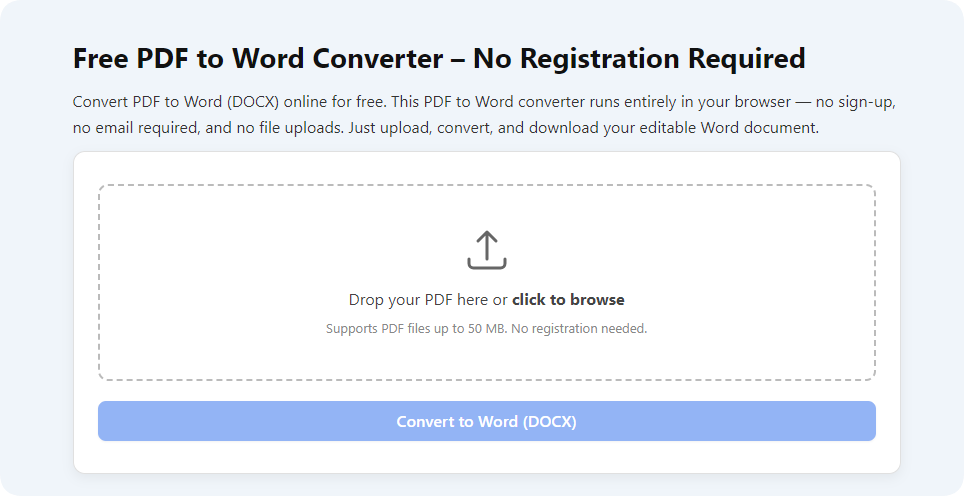
How to Use Free PDF to Word Converter
Using our Free PDF to Word Converter is incredibly easy, even if you’re not tech-savvy. We’ve designed the tool with a user-friendly interface, so you can convert PDFs to editable Word documents in just a few simple steps, with no learning curve required. The process is fast, straightforward, and requires no technical skills.
First, navigate to the “Upload PDF” section on our tool page. You can either drag and drop your PDF file into the designated area or click to select a file from your device—we support all standard PDF formats, including password-protected PDFs (as long as you have the password). Next, confirm your upload and click the “Convert” button. Our tool will process the file in seconds, preserving all original formatting, images, tables, and text. Finally, once the conversion is complete, you can download the editable Word document directly to your device. That’s it—no extra steps, no hidden requirements.
Key Features of Free PDF to Word Converter
Our Free PDF to Word Converter comes packed with practical features that set it apart from other online tools, making it the top choice for students, professionals, and everyday users. Each feature is designed to enhance your experience, ensure accuracy, and save you time.
One of the standout features is our 100% accurate conversion. Unlike many free tools that distort formatting, lose images, or mess up text alignment, our converter retains every detail of your original PDF—from font styles and sizes to tables, images, and bullet points. This means you won’t have to spend time reformatting the Word document after conversion, saving you valuable time and effort. Additionally, our tool supports batch conversion, allowing you to convert multiple PDF files to Word at once, perfect for users who need to process multiple documents quickly.
Another key feature is the tool’s no-watermark guarantee. Many free PDF to Word converters add unsightly watermarks to converted files, making them unprofessional and unusable for work or school. Our tool never adds watermarks—your converted Word document will be clean, professional, and ready to edit or share. We also offer 100% free usage with no limits—convert as many PDFs as you want, no paywalls, no hidden fees, and no usage caps. The tool is also mobile-friendly, with a responsive design that adapts to any screen size, so you can use it on your phone or tablet just as easily as on your computer.
Why Choose Our Free PDF to Word Converter
With countless PDF to Word converters available online, you might be wondering why our Free PDF to Word Converter is the right choice for you. The answer lies in our commitment to quality, simplicity, and user experience—we’ve built this tool to solve real problems and make document editing accessible to everyone.
Unlike other tools that require you to register an account, download software, or pay for premium features, our tool is completely web-based. You can start converting PDFs to Word immediately, with no sign-ups or downloads required. We also prioritize speed—even large PDF files are converted in seconds, so you won’t have to wait around for results. Our accurate formatting retention is another major advantage; many free tools fail to preserve the original document’s layout, but our converter ensures your Word document looks exactly like the original PDF, minus the edit restrictions.
Additionally, we take your privacy seriously. All files you upload are encrypted and deleted from our servers after conversion, so you don’t have to worry about your sensitive documents being stored or shared. Whether you’re converting personal notes, work contracts, or academic papers, you can use our tool with complete peace of mind. It’s simple, fast, accurate, and free—everything you need in a PDF to Word converter.
Frequently Asked Questions
Q: Is this Free PDF to Word Converter really 100% free to use?
A: Yes, our Free PDF to Word Converter is completely free for all users. There are no hidden fees, no paywalls, no usage limits, and no premium features—convert as many PDFs as you want at no cost.
Q: Do I need to download any software or app to use this tool?
A: No, you don’t need to download any software or apps. Our tool is web-based, so you can use it directly in your browser on any device—desktops, tablets, and smartphones all work seamlessly.
Q: Will the converted Word document have watermarks?
A: No, our tool never adds watermarks to converted files. Your Word document will be clean, professional, and free of any branding or watermarks, ready to edit or share.
Q: Does the tool preserve the original formatting of the PDF?
A: Yes, our converter is designed to retain 100% of the original PDF’s formatting, including fonts, images, tables, bullet points, and text alignment. You won’t have to reformat the Word document after conversion.
Q: Can I convert multiple PDF files at once?
A: Yes, our tool supports batch conversion. You can upload multiple PDF files and convert them to Word documents all at once, saving you time and effort.
Overall, our Free PDF to Word Converter is one of the best, most user-friendly tools to convert PDF files into editable Word documents for free. It’s fast, accurate, and packed with features that make it perfect for everyday use—whether you’re a student, professional, or anyone who works with digital documents. You can also try our other related tools such as Free Word to PDF Converter, PDF to Excel Converter, and PDF Compressor to make your document tasks even easier. Give our Free PDF to Word Converter a try today—say goodbye to uneditable PDFs and hello to seamless editing!